
Master Routes (Templates)
Understand master route templates — the recurring patterns that drive daily route generation.
Master Routes (Templates)
A master route (also called a route template) is a recurring pattern that defines which customers get serviced, on what day, and in what order. Daily routes are generated from these templates.
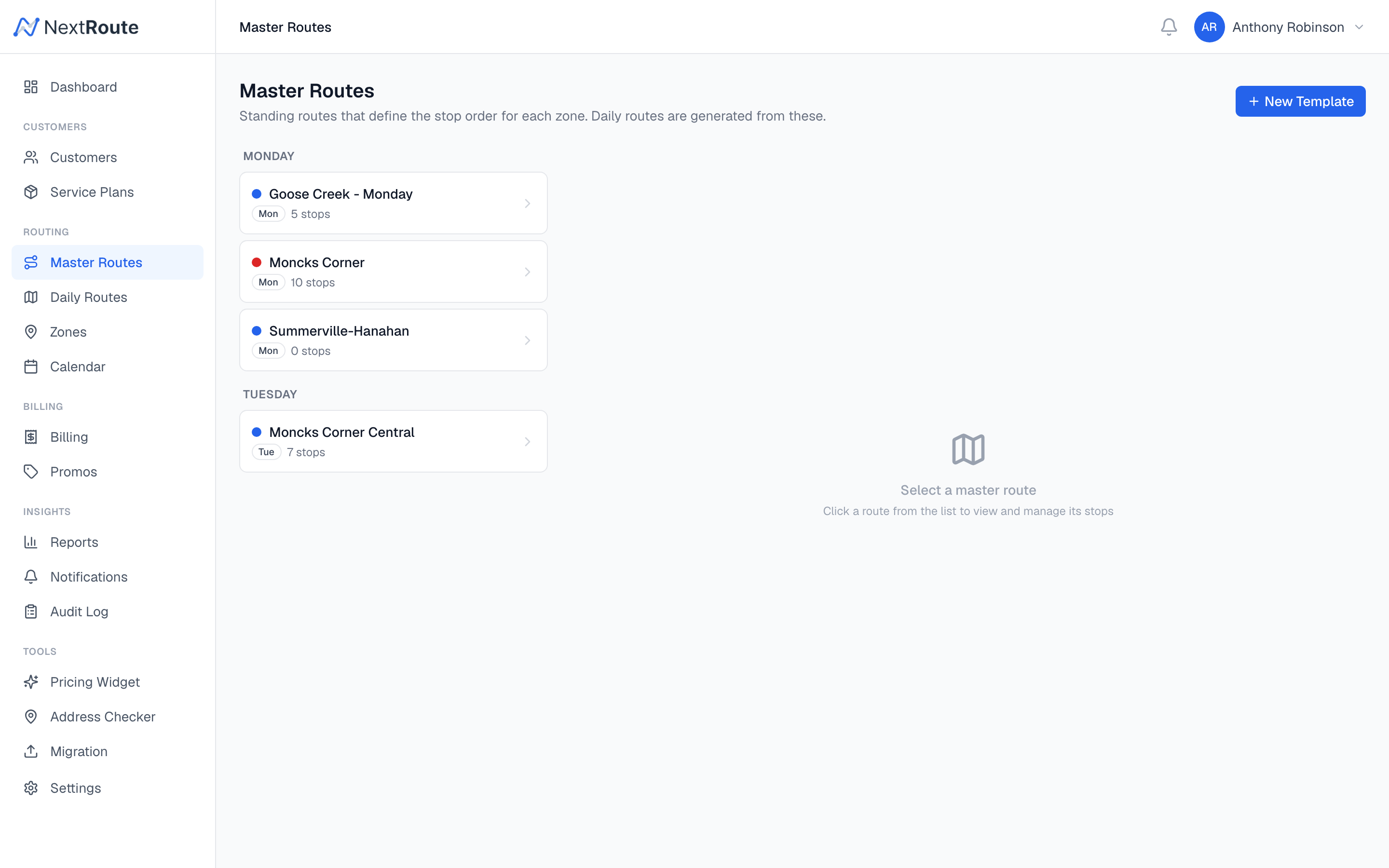
Template Structure
| Field | Description |
|---|---|
name | Template name (e.g., "North Charleston - Tue") |
service_zone_id | The zone this template covers |
day_of_week | Which day of the week this template runs |
default_driver_id | Driver inherited by generated routes |
default_vehicle_id | Vehicle inherited by generated routes |
max_stops | Maximum stops per generated route (optional) |
is_active | Whether this template generates routes |
Template Stops
Each template contains a list of template stops — one per property to be serviced. Each stop defines:
| Field | Description |
|---|---|
property_id | The property to visit |
customer_id | The owning customer |
sequence | Order in the route (1, 2, 3...) |
frequency | weekly, biweekly, monthly, quarterly, annually, seasonal, one_time |
week_parity | For biweekly: A, B, or every |
month_week | For monthly: 1st, 2nd, 3rd, 4th, or last |
service_duration_min | Estimated time at this stop |
preferred_time_window_start | Earliest arrival time |
preferred_time_window_end | Latest arrival time |
approval_status | approved or pending |
is_active | Whether this stop is included in generation |
Approval Workflow
When a new customer is added to a zone (either manually or via auto_add_to_route), a template stop is created. The stop's approval status depends on your settings:
- Auto-add enabled (
auto_add_to_route = true): Stop is created withapproval_status = 'approved'and immediately included in route generation. - Manual approval required (
auto_add_to_route = false): Stop is created withapproval_status = 'pending'. A dispatcher must review and approve it before it appears on generated routes.
To approve pending stops:
- Open the master route template
- Look for stops with a "Pending" badge
- Click Approve to include them in future routes
Stop Sequence & Optimization
Template stops have a sequence field that determines the default order. You can:
- Drag and drop stops to manually reorder them
- Optimize the template to set the most efficient sequence based on geographic proximity
- The optimized sequence carries over to generated daily routes
Cloning Templates
To duplicate a template (useful when splitting a large zone):
- Open the template
- Click Clone
- A new template is created with the same stops and settings
- Modify the clone as needed (rename, remove stops, assign different driver)
Template Lifecycle
Template created (from zone)
  ↓
Stops added (manual or auto-add)
  ↓
Stops approved (if manual approval)
  ↓
Template optimized (optional)
  ↓
Daily routes generated from template
How Generation Uses Templates
When the route generation engine runs for a given date:
- Finds all active templates where
day_of_weekmatches the date - For each template, iterates through approved, active stops
- Filters stops by frequency:
- Weekly: Always included
- Biweekly: Included if the week parity matches (A or B)
- Monthly: Included if the week-of-month matches (1st, 2nd, 3rd, 4th, last)
- Quarterly: Included in the first month of each quarter
- Annually: Included once per year
- Seasonal: Included only during configured active months
- Excludes stops for customers with active vacation holds or service skips
- Excludes the date if it is a blackout date
- Creates a draft route with the filtered stops
Related
- Daily Routes — the routes generated from templates
- Service Zones — zone-to-template relationship
- Route Generation — the generation engine in detail