
General Settings
Configure business information, logo, timezone, depot address, and custom domain.
General Settings
The General settings page configures your business identity, operational defaults, and branding that appear across the platform — on invoices, customer communications, and the portal.
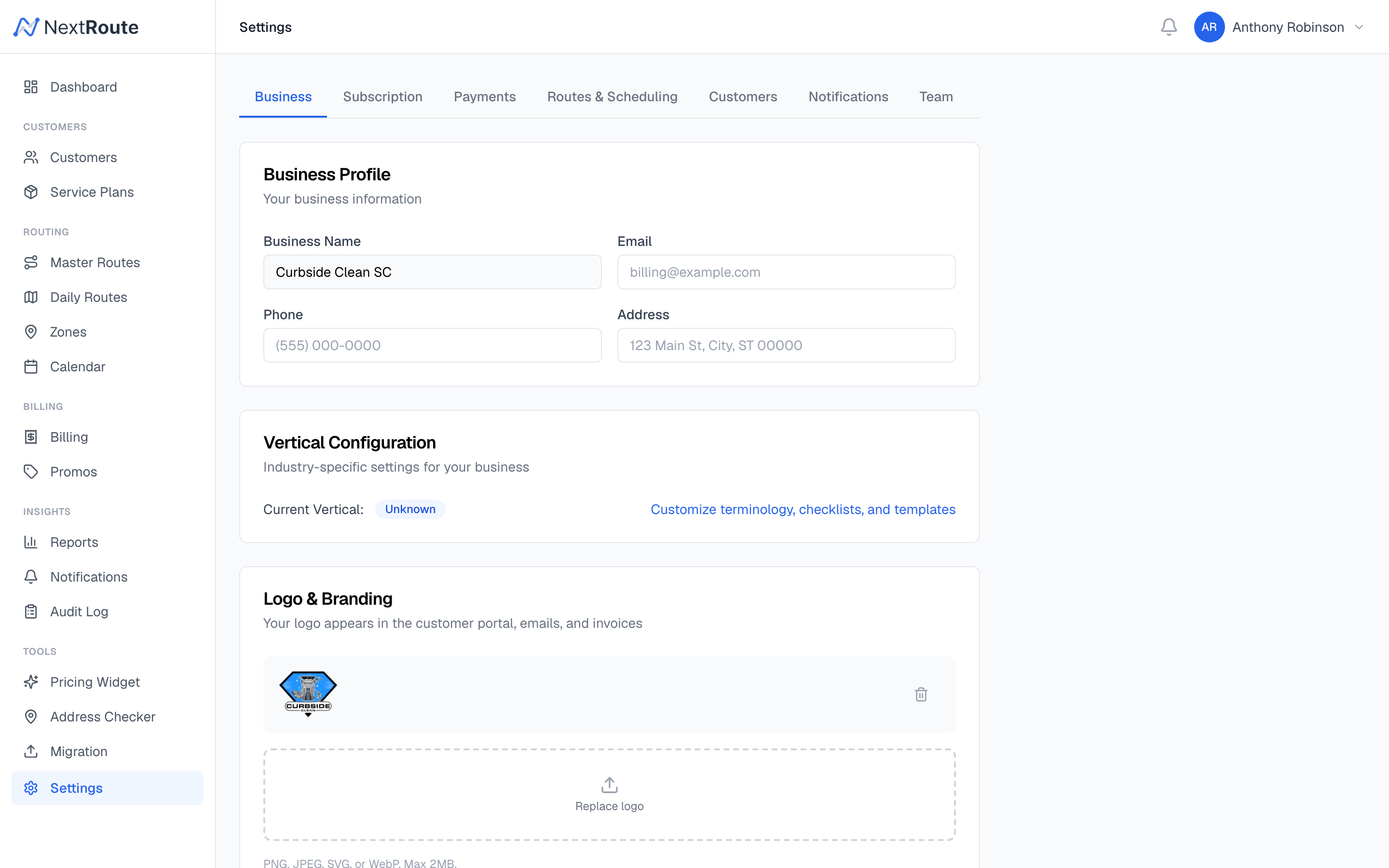
Business Information
| Setting | Description |
|---|---|
| Business Name | Your company name — displayed on invoices, emails, and the customer portal |
| Business Email | Contact email shown on invoices and communications |
| Business Phone | Contact phone number |
| Business Address | Physical address shown on invoices |
Logo
Upload your company logo to brand the platform:
- Displayed on invoices (print and PDF)
- Shown in the customer portal header
- Used in email notifications
- Appears on the enrollment form
Supported formats: PNG, JPG, SVG. Recommended size: 200x60px or similar aspect ratio.
The logo is stored at tenant.logo_url and served via CDN.
Timezone
Set your business timezone to ensure:
- Route dates align with your local calendar
- Cron jobs (auto-generation, auto-billing) run at the correct local time
- Timestamps in the dashboard display correctly
- Customer-facing times (ETAs, service windows) are accurate
Select from standard IANA timezone identifiers (e.g., America/New_York, America/Los_Angeles).
Depot Address
The depot is your base of operations — where routes start and end:
| Setting | Description |
|---|---|
| Depot Address | Street address of your depot |
| Depot Lat/Lng | Coordinates (auto-geocoded from address) |
The depot location is used by the route optimizer as the starting and ending point for route calculations.
Custom Domain
You can configure a custom domain for your customer-facing portal instead of using the default nextroute.app/portal URL:
| Setting | Description |
|---|---|
| Custom Domain | Your domain (e.g., portal.yourbusiness.com) |
To set up a custom domain:
- Enter your domain in the settings
- Add a CNAME record pointing to
nextroute.appin your DNS provider - SSL is automatically provisioned
Tenant Slug
Your tenant slug is a URL-safe identifier derived from your business name (e.g., sparkle-bins). It is used in:
- Portal URLs
- API identification
- Enrollment form URLs
The slug is set during signup and can be changed by contacting support.
Related
- Routes & Scheduling Settings — route generation and skip policies
- Billing & Payments Settings — tax, payment terms, Stripe
- Notification Settings — email and SMS templates